12 October 2026 • Janneke Mol
“Every question, every conversation with the same person, all in one place.”


A question through the app, a phone call from a resident, a conversation on site, or an email to the project team; contact with stakeholders rarely happens through just one channel. Until recently, however, our inbox was primarily designed for messages sent directly through the app.
Based on feedback from our users, we decided it was time for improvement. Mark van der Kooi (Founder) and Suzet van Rossum (Customer Success) show what is new in the Publiq inbox and explain why we have developed it further.
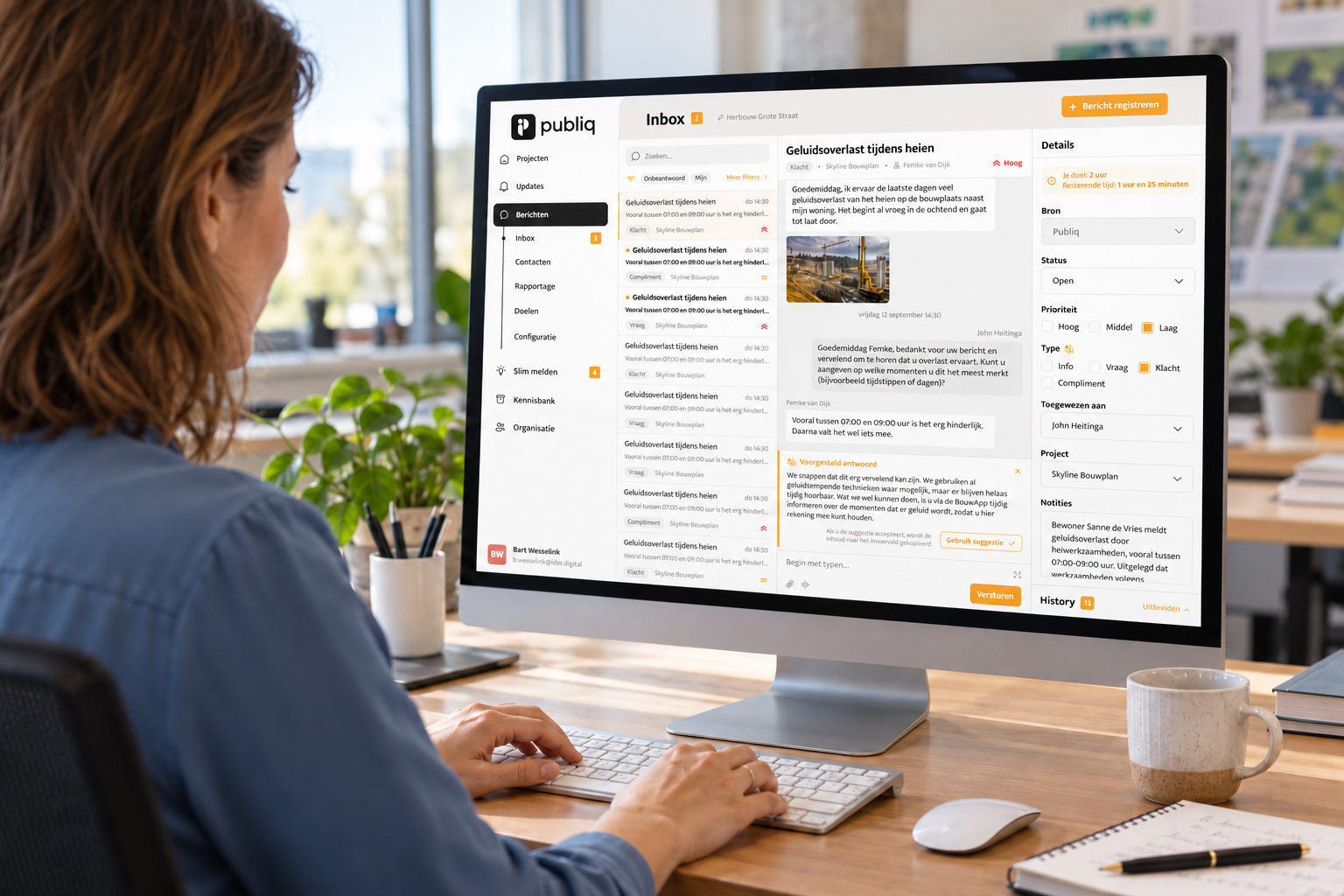
The idea for the new inbox came directly from our users. They wanted to be able to record other interactions alongside questions submitted through the app.
“More and more customers were telling us: if someone sends an email, calls us, or we have a conversation with them in person, we want to be able to record that too,” Suzet explains. “That way, you have all your contact moments with stakeholders in one place.”
The inbox itself remains familiar. Messages come in, can be answered, and are given a status such as open, pending, or closed. For residents, nothing changes in the way they send a one-to-one message through the app. Most of the changes were made in the management environment.
One important addition is the ability to create contacts. For each contact, administrators can see the different interactions that have taken place.
Has someone previously asked a question through the app and then called a week later? Or does a community engagement professional speak to the same resident during a drop-in session? That phone call or face-to-face conversation can now be recorded and linked to the same contact.
Administrators can also add internal notes, making it easier for colleagues working on the same project to share relevant information about a contact.
Email can also be connected to the inbox. A project email address can be linked through Outlook, after which emails can be answered either from Publiq or from the regular mailbox. Either way, the conversation is recorded in the same place.
We have also added practical features such as automatic replies, the option to choose which sender name residents see, and the ability to export contact details and conversations for reporting or archiving.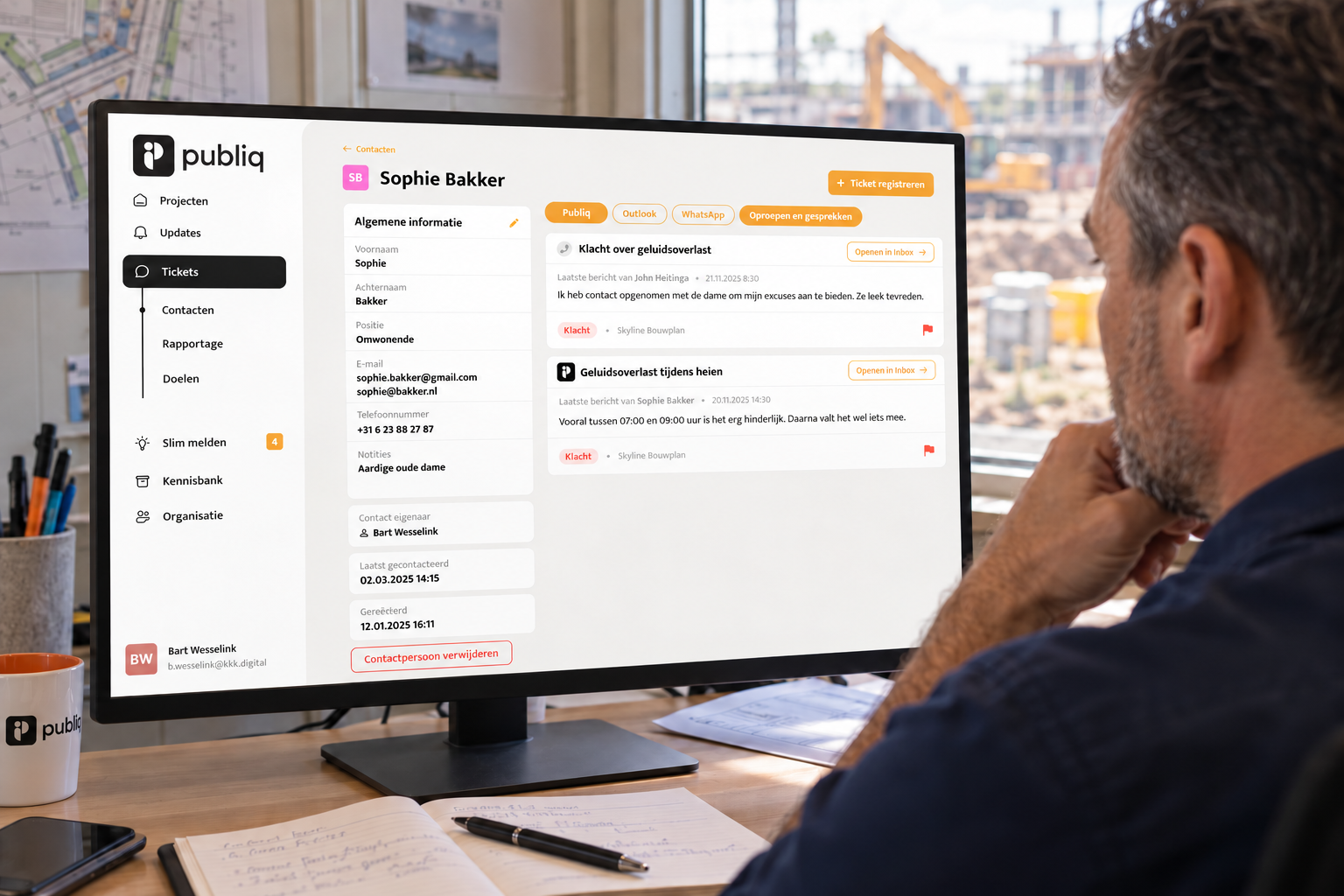
The new inbox is already available, and we will continue to expand it step by step. We are working on a workflow that will allow messages to be assigned to a colleague, and a WhatsApp integration is also planned.
We are also developing an AI feature that can suggest answers based on available information and previous responses, while administrators remain in control. As Suzet emphasises: “It will never be sent automatically. It is not a chatbot. It really is a suggested response.”
Mark sums up the aim of the new inbox simply: “Every question, every conversation with the same person, all in one place.”
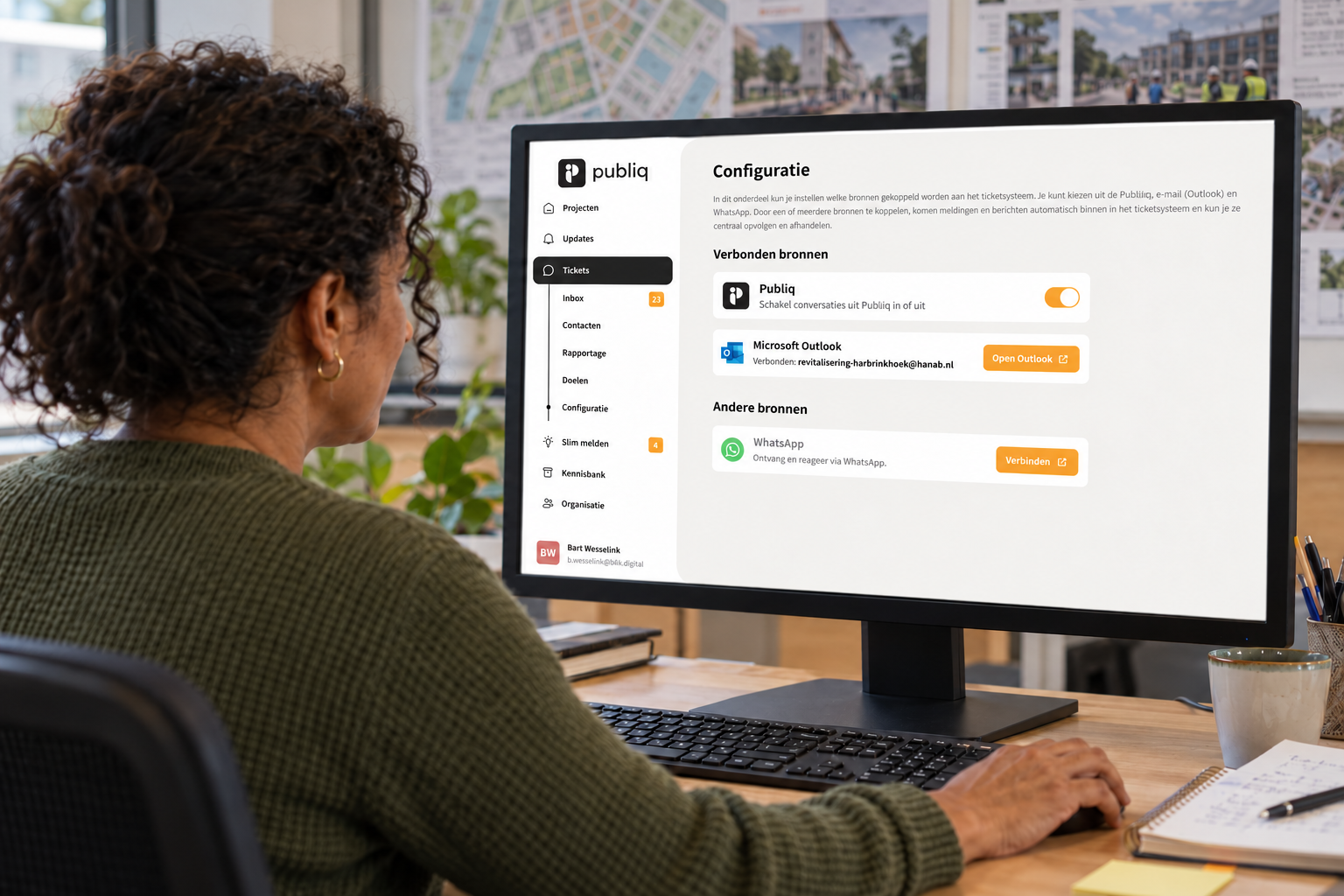
You can find the new inbox in the management environment under Messages. Here are a few useful tips to get started:
Want to know more? The knowledge base explains everything step by step.

Experienced copywriter writing about Stakeholder Engagement and Consultation.
Reach out to us
Concepteurs BVDownload our app


2026 Publiq. All right reserved.


